
Stepping Through the Screen: How We're Designing the Next Reality
For decades, we’ve been trapped behind flat glass. Now, with 3D, AR, and VR, we're shattering the fourth wall and building experiences you can step into.
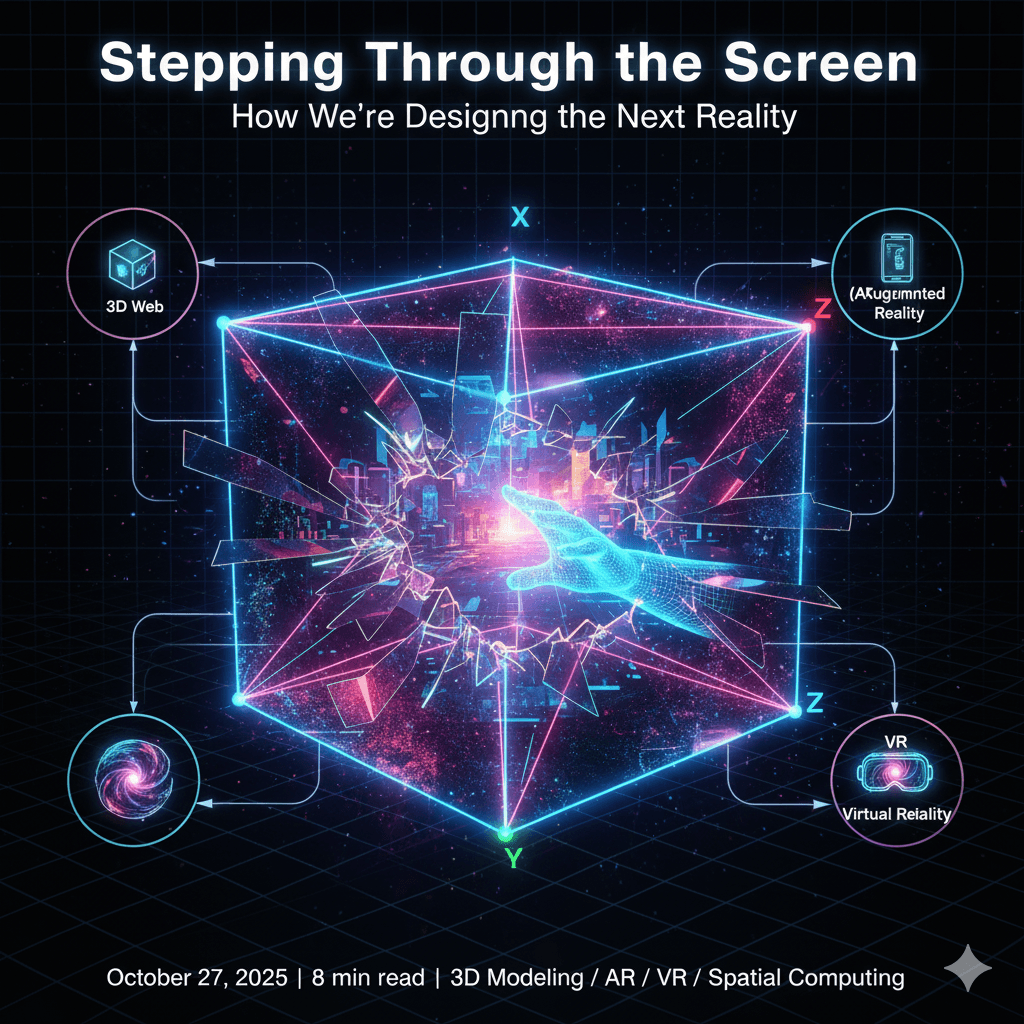
For the last thirty years, our digital lives have been confined to flat rectangles. We click, we swipe, we scroll—manipulating 2D representations of a 3D world. But that's all about to change. The screen is no longer a window we look through; it's becoming a door we can walk through.
Immersive technologies like 3D, Augmented Reality (AR), and Virtual Reality (VR) are not just another trend; they represent a fundamental shift in human-computer interaction. They are transforming the digital world from something we observe into something we inhabit. As designers and developers, we are no longer just building interfaces; we are architecting new realities.
Let's explore the three pillars of this new, immersive web.
1. 3D on the Web: The Foundational Layer
Before we can augment or create new realities, we must first learn to represent our own. Real-time 3D rendering in the browser is the foundation of the spatial web. It allows us to break free from flat images and create interactive, explorable objects and environments.
This is more than just a visual gimmick. It’s about:
- Product Visualization: Letting a customer spin, customize, and look inside a product before they buy it.
- Data Storytelling: Transforming a boring bar chart into a 3D landscape of data that a user can fly through.
- Education: Allowing a student to deconstruct a human heart or a jet engine right on their screen.
With libraries like Three.js, creating a 3D scene in a web browser is surprisingly accessible.
Code Example: A Simple 3D Cube with Three.js
This code creates a basic scene, adds a spinning cube, and renders it to the screen. It's the "Hello, World!" of the 3D web.
   <!-- index.html -->
<script type="importmap">
  { "imports": { "three": "https://unpkg.com/three/build/three.module.js" } }
</script>
<canvas id="c"></canvas>
// main.js
import * as THREE from 'three';
// 1. The Scene: The container for everything.
const scene = new THREE.Scene();
scene.background = new THREE.Color(0x111111);
// 2. The Camera: The viewer's perspective.
const camera = new THREE.PerspectiveCamera(75, window.innerWidth / window.innerHeight, 0.1, 1000);
camera.position.z = 5;
// 3. The Renderer: Draws the scene onto the canvas.
const renderer = new THREE.WebGLRenderer({ canvas: document.querySelector('#c') });
renderer.setSize(window.innerWidth, window.innerHeight);
// 4. The Object: A cube with a material.
const geometry = new THREE.BoxGeometry(1, 1, 1);
const material = new THREE.MeshBasicMaterial({ color: 0x00ff00 });
const cube = new THREE.Mesh(geometry, material);
scene.add(cube);
// Animation loop to make it spin
function animate() {
requestAnimationFrame(animate);
cube.rotation.x += 0.01;
cube.rotation.y += 0.01;
renderer.render(scene, camera);
}
animate();
2. Augmented Reality (AR): The Bridge Between Worlds
AR is where the digital world begins to bleed into our physical reality. It doesn't replace our world; it enhances it. Using a phone or smart glasses, AR overlays digital information, objects, and experiences onto our view of the real world.
Think about the practical magic of:
- Trying on a pair of sneakers virtually before you buy them.
- Placing a digital IKEA couch in your living room to see how it fits.
- Pointing your camera at a broken engine and seeing repair instructions appear on the parts.
The WebXR API and Google's <model-viewer> component make it incredibly easy to bring 3D models into the real world through the browser.
Code Example: Place a 3D Model in Your Room with <model-viewer>
This simple HTML tag creates an interactive 3D viewer and includes a button to launch the model in AR on a supported device.
<!-- index.html -->

<!-- Load the component -->

<script type="module" src="https://ajax.googleapis.com/ajax/libs/model-viewer/3.4.0/model-viewer.min.js"></script>

<!-- Use it like any other HTML element -->

<model-viewer
    src="Astronaut.glb"  <!-- The 3D model file -->
    alt="A 3D model of an astronaut"
    ar                 <!-- Enable Augmented Reality -->
    camera-controls    <!-- Allow user to spin the model -->
    auto-rotate        <!-- Automatically rotate the model -->
    style="width: 100%; height: 400px;">
</model-viewer>
With just a few lines of HTML, you've created a web page that allows users to place a digital astronaut on their physical desk. That's the power of AR.
3. Virtual Reality (VR): The Final Destination
If AR is a bridge, VR is the destination. VR completely replaces the user's surroundings with a fully simulated digital environment. It's the ultimate tool for immersion, allowing us to create experiences that are impossible in the real world.
VR is redefining entire industries:
- Training: Surgeons can practice complex procedures in a zero-risk virtual operating room.
- Architecture: Clients can walk through a building and request changes before a single brick is laid.
- Collaboration: Remote teams can meet in a shared virtual space, brainstorming on infinite whiteboards as if they were in the same room.
Platforms like Unreal Engine and Unity are the powerhouses behind these hyper-realistic VR experiences, allowing developers to build entire worlds that trick our senses into believing we are truly somewhere else.
The Future is Spatial
The transition from flat interfaces to immersive spaces is the most exciting leap in digital design since the invention of the smartphone. It requires a new way of thinking—about space, about presence, about how digital elements interact not just with each other, but with our physical bodies and our environment.
We are at the very beginning of this journey. The tools are more accessible than ever, and the creative possibilities are limitless. The next web won't be something you look at; it will be something you are in.
Ready to start building?
Get started with 3D on the web at Three.js Fundamentals.
Explore easy web-based AR with Google's <model-viewer>.
Dive into professional VR development with Unreal Engine.